

Five Hacks Every Amazfit Cheetah 2 Pro User Should Know
Discover hidden features, developer modes, and clever battery-saving tips to get the most out of your Amazfit Cheetah 2 Pro running watch.

Stock photo for illustration only, not from the actual event
- Unlock developer mode by tapping the Zepp logo seven times in the app settings
- Use the built-in jet lag manager to adjust your sleep schedule for travel races
- Switch the flashlight to red LED mode for glare-free night vision
- Customize notifications and dial back excessive data tracking to save battery
- Change the workout pause mechanism to a long press to avoid accidental taps
While the Amazfit Cheetah Cheetah line might not be everyone's absolute favorite, the Cheetah 2 Pro stands out as a solid choice for runners seeking a high-end feel with a marathon-watch exterior. Beyond its straightforward design, however, lies a surprising amount of software depth that most owners never touch. Here are several hidden features and tips that go way beyond the standard manual.
Buried deep inside the Zepp app is a hidden developer menu that most people will never discover by accident. Navigate to Profile, Settings, About, and tap the Zepp logo seven times in a row. This unlocks developer mode, giving you access to device information and debugging options usually hidden from consumers. While it won't turn your watch into a hacking tool, it is great for troubleshooting sync issues, checking firmware details, and even installing custom watch faces by uploading them via computer and scanning a generated QR code.
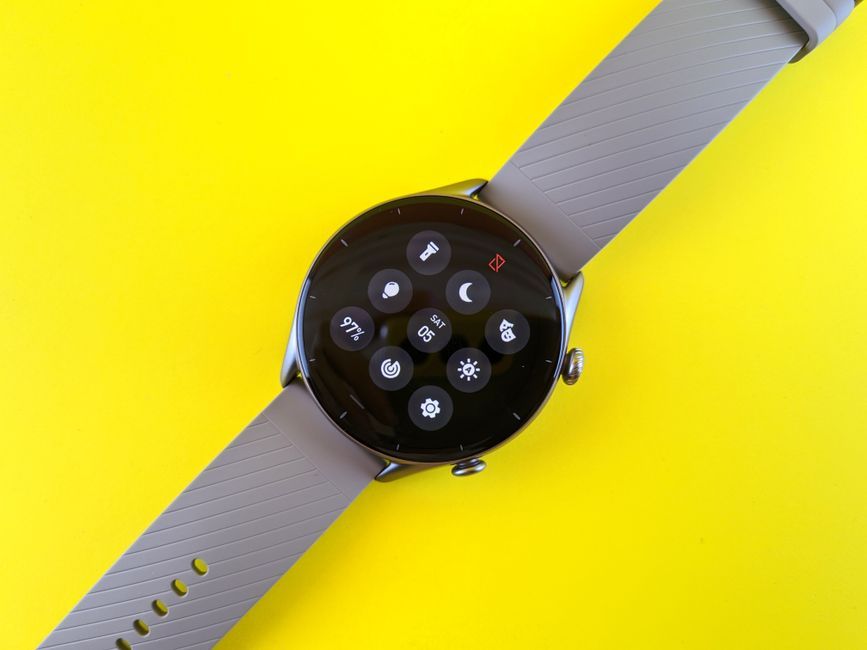
Stock photo for illustration only, not from the actual event
Hiding advanced settings behind repeated taps on a logo is a common practice in tech and mobile operating systems. It acts as a safety barrier to prevent everyday users from accidentally altering system parameters while giving power users and developers a straightforward way to access diagnostic tools.
If you frequently travel for races, your watch includes a built-in jet lag manager. By inputting your travel details, the watch generates an Amazfit Adaptedness score along with real-time suggestions on when to sleep, stay active, and seek light exposure, helping you adjust your sleep and training schedules ahead of race day.
Most users know about the built-in flashlight activated by holding the function button, but it actually features two white LEDs and an extra red LED option. The red light provides a glare-free alternative in the dark to protect your night vision, and there is also a built-in strobe function to make you visible to traffic during pre-dawn or post-sunset runs. You can easily cycle through these options using the UP or DOWN buttons or via the Control Center.

Stock photo for illustration only, not from the actual event
Out of the box, the Cheetah 2 Pro tends to collect more data than the average runner needs daily. You can significantly reduce background battery drain by tweaking a few quick settings: drop heart rate measurement frequency from every minute to every five or ten minutes, turn off automatic stress and blood oxygen tracking unless strictly necessary, and disable continuous location and heart rate logging when not working out.
Strength training enthusiasts will appreciate a fix for an annoying hardware quirk: the sensitive top-right crown button that constantly triggers accidental pauses during kettlebell swings or wrist bends. Simply head into Workout Settings and switch the pause mechanism from a simple press to a long press.
Finally, before heading out for a run in heavy rain, keep in mind that the watch features a built-in water ejection mode. Moisture trapped in microphone and speaker ports can muffle sound. To clear it out, open the Control Center, tap the droplet icon, and hold the watch with the speaker facing downward while it vibrates at specific frequencies to force water out.
Source: Lifehacker
Found something wrong in this article? Report an issue with this article
Comments
Leave a Comment